
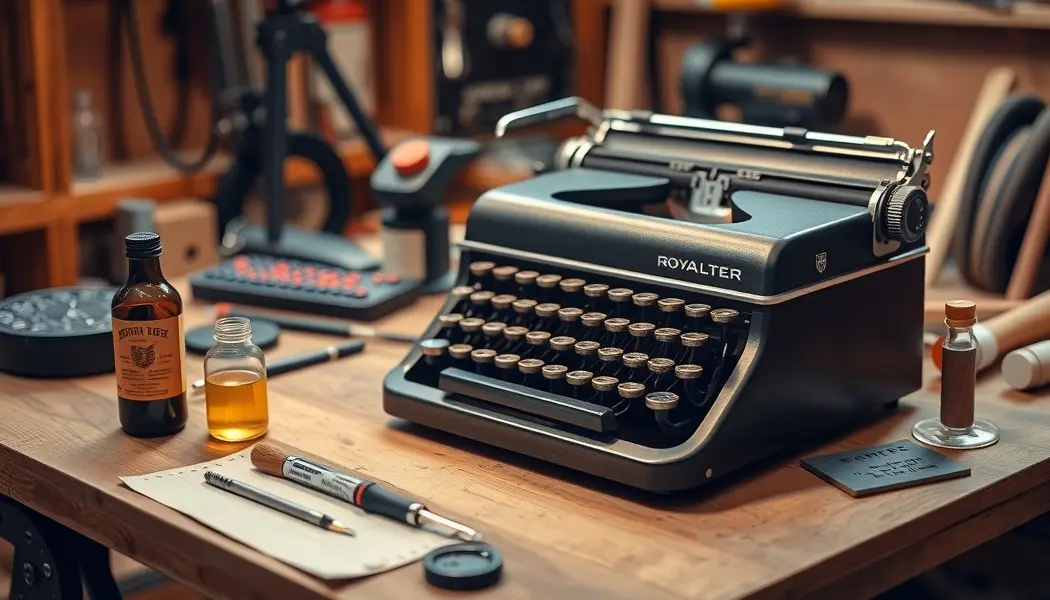
Royal Quiet De Luxe Typewriter Repair: Common Problems Fixed
A Royal Quiet De Luxe sitting on a shelf is a beautiful object — the chrome details, the two-tone paint, the rows of rounded keys with their cream legends. But the real case for the Royal QDL isn’t aesthetic. It’s mechanical. Pick one up from any year of production between the early 1950s and the mid-1960s, and you’re holding a machine built with tolerances and component quality that most modern products can’t approach. The carriage runs on steel rails. The typebars are forged metal. The escapement is made of parts that can be individually replaced.
That said, a Royal Quiet De Luxe that’s been sitting unused for 40 years needs attention before it types well. Sixty-plus years of temperature change, humidity cycling, and storage has done predictable things to the lubricants and rubber. The repairs are not complex. They just require the right approach and the patience to not rush.
Most Common Royal Quiet De Luxe Problems
Before diving into individual fixes, here’s a quick diagnostic overview. These are the problems you’ll encounter most often, in rough order of frequency:
- Sticky or sluggish keys — typebars that hesitate, feel gummy, or require extra force to press. The classic sign of dried lubricant in the typebar pivot mechanism.
- Sluggish or stuck carriage return — the carriage moves slowly or not at all on the return; may also fail to spring back properly after a line advance
- Ribbon advance failure — the ribbon doesn’t advance, causing every character to strike the same worn spot; or ribbon moves but doesn’t reverse when it reaches the end
- Stuck shift lock — the shift lock key clicks in but won’t release, or won’t engage properly
- Hard or glazed platen — the rubber platen (the cylinder the paper wraps around) has hardened with age, causing characters to not print clearly and paper feed to be unreliable
You may have one of these or all five. Work through them in the order listed — sticky keys are the most common and most disruptive, so start there.
Fix 1: Sticky or Stuck Keys
The Royal Quiet De Luxe typebar mechanism uses a pivot pin system — each typebar rotates on a small pin in the typebar segment (the curved metal basket that holds all the typebars). Over decades, the original lubricant applied to these pivot points dries, thickens, or oxidizes into a varnish-like substance that restricts free movement.
The symptom: keys that press down with normal force but return sluggishly (or don’t return at all), or keys that feel gummy and require extra effort. On some machines, a key will visibly hesitate at the bottom of its stroke before slowly rising back up.
The correct solvent: denatured alcohol. Flush the typebar pivot area with denatured alcohol to dissolve the old lubricant. This works because the original oils used in typewriter assembly are petroleum-based and soluble in alcohol when dried.
The procedure:
- Do NOT use WD-40 — this deserves emphasis. WD-40 is a water-displacement spray that provides only temporary lubrication. On typewriter typebar pivots, it provides a few hours of freedom followed by a worse gummed-up situation than before. Never use WD-40 on a typewriter.
- Apply denatured alcohol to the typebar segment — use a small pipette or dropper to flood the typebar pivot area at the base of the typebar segment. The alcohol will wick into the pivot gaps by capillary action.
- Work each typebar manually — press each key by hand while the alcohol is working. You should feel the movement becoming freer almost immediately on keys that were mildly stuck.
- Let dry completely — denatured alcohol evaporates quickly, typically within 10-15 minutes at room temperature. Let it dry completely before re-lubricating.
- Re-lubricate with light machine oil — apply the smallest possible amount of light sewing machine oil or clock oil to each pivot point. The key word is “smallest possible” — a drop per typebar is too much; you want a light film, not a pool. Work each key again to distribute the oil.
- Test — type rapidly through the whole alphabet several times. All keys should return smartly. Any that still stick need another round of alcohol flush.
On severely stuck keys where alcohol alone won’t free them: try a penetrating oil like Tri-Flow (which uses a carrier solvent to reach tight pivots) on the stuck pivot specifically, work the typebar by hand repeatedly, then follow up with the denatured alcohol flush and re-oiling sequence above.
Fix 2: Sluggish or Stuck Carriage
The carriage on a Royal Quiet De Luxe rides on two polished steel rails. Between the carriage and the rails, there’s a set of ball bearings or nylon glide surfaces (depending on year of production) that allow the carriage to slide smoothly. After decades without lubrication, the original grease in this system dries into a thick, resistant paste that makes the carriage feel like it’s moving through mud.
Diagnosis: With no paper in the machine, disengage the margin stops and push the carriage manually from one end to the other. A healthy carriage glides with gentle push pressure. A dry carriage requires significant effort and may stick in places.
Cleaning the rails:
- Apply isopropyl alcohol to a lint-free cloth or cotton swab
- Run it along both carriage rails, cleaning off all old dried grease
- Work the carriage back and forth while cleaning to work the solvent into the bearing surfaces
- Use fresh swabs until they come out clean with no dark residue
Re-lubricating:
- Apply a thin film of light lithium grease to the rails — not machine oil (too light, will fling off), not heavy bearing grease (too thick). A small tube of lithium grease from any hardware store works perfectly.
- Apply a small amount to a cloth, then wipe the rails; you want a thin, even film, not a thick bead
- Run the carriage back and forth several times to distribute the grease
Mainspring tension: If the carriage moves freely but doesn’t return properly when you hit the carriage return lever, the mainspring may be weak or fully unwound. The mainspring is a coiled flat spring that powers carriage return. On the Royal QDL, it’s accessible through the left end of the machine after removing the outer housing screws. The spring typically just needs rewinding (turning it several full rotations in the tension direction) rather than replacement.
Fix 3: Ribbon Advance Not Working
The ribbon advance mechanism on the Royal QDL uses a ratchet-and-pawl system. Each keystroke advances the ribbon one increment. When the ribbon reaches the end of the spool, a reverse mechanism should kick in to wind it back in the other direction. When this system fails, one spool winds endlessly while the other remains stationary, and typing produces faint impressions on exhausted ribbon.
Check the ribbon advance pawl first: Open the ribbon cover and observe the ribbon advance mechanism as you press a key. You should see a small pawl (a pivoting catch) engage a ratchet wheel and advance the ribbon one notch per keystroke. If the pawl is not moving or is not catching the ratchet teeth, it may be:
- Bent away from the ratchet — bend it back gently until it engages reliably
- Clogged with dried ink and debris — clean with a swab and IPA
- The spring providing pawl pressure may have weakened — check for a small spring at the pawl pivot and confirm it’s intact and providing tension
Replacing the ribbon: Often the “advance not working” symptom turns out to be a simple case of the ribbon being at end-of-life with no usable ink left. The Royal Quiet De Luxe takes a standard 1/2″ (12.7mm) wide typewriter ribbon, which is still manufactured by several companies (Pelikan, Ribbon Inking, Royal brand replacements). These are available online for $5-10. Standard two-color (red/black) ribbons fit the same spool hubs as solid black ribbons — confirm the machine’s ribbon color selector position if you use a two-color ribbon.
Loading a new ribbon: wind the ribbon onto one spool, feed it over the ribbon guide and through the vibrator (the metal arm that positions the ribbon in front of the typebar strike point), then attach to the second spool. Advance several times manually to confirm the feed direction is correct.
Fix 4: Shift Lock Stuck
The shift lock on the Royal QDL is a latch mechanism — the shift lock key engages a small latch that holds the carriage (and the shift mechanism) in the raised position for capitals. The most common failure is the latch either sticking in the engaged position or failing to hold when you want it engaged.
If stuck engaged (can’t get out of caps lock):
- Apply a small drop of denatured alcohol to the latch mechanism — visible on the left side of the machine near the shift lock key pivot
- Press and release the shift lock key rapidly several times while the alcohol is working
- The mechanism should free up. If not, check for a bent latch plate — a bent plate can jam the latch past its intended release point.
- Clean and apply a tiny amount of light oil to the latch pivot
If not holding (shift lock releases on its own):
- The latch engagement depth is insufficient — the latch needs to catch deeper on its engagement notch
- Locate the latch plate (usually accessible from the left side of the machine with the platen removed) and very gently bend the latch hook inward by half a millimeter
- Test — the shift lock should click in firmly and stay until deliberately released
Fix 5: Hard Platen
The platen — the rubber cylinder the paper wraps around — hardens over decades through chemical oxidation of the rubber compound. Hard rubber doesn’t provide the cushioned surface that allows type to strike cleanly. You get pale, faint printing with poor character definition even with a fresh ribbon. The paper feed also becomes unreliable because hard rubber doesn’t grip paper well.
Measuring hardness: Press your thumbnail firmly into the platen rubber. On a healthy platen, there should be visible indentation and the rubber should feel slightly yielding. On a hard platen, there’s no give — it feels like plastic.
Option 1 — Replace the platen: The most permanent fix. Replacement platens for the Royal QDL are available from typewriter specialty shops (Ames Supply, Typewriter Restoration Supplies) and occasional eBay listings for $20-40. The platen rod is usually retained by a single knob on the right end of the platen; unscrew it, pull the rod, swap the platen, and reinstall. The replacement will feel dramatically better.
Option 2 — Rubber rejuvenator: Products like Platen Rejuvenator (sold by typewriter suppliers) or generic rubber rejuvenator restore some softness temporarily. Apply with a cloth, let penetrate 30 minutes, wipe off excess. Results are variable — it works well on mildly hardened platens and provides a few months of improved performance. It’s a temporary measure, not a permanent fix.
Option 3 — Heat-shrink tubing: A DIY approach that some typewriter enthusiasts use: wrap the hardened platen with a layer of heat-shrink tubing, apply heat carefully and evenly, and the result is a slightly cushioned surface over the hard rubber. This approach requires sourcing the correct tubing diameter and produces acceptable but not ideal results. Better than nothing for a machine you want functional quickly.
Cleaning and Cosmetic Restoration
Once the mechanical repairs are done, cosmetic work takes the Royal QDL from functional to beautiful:
- Keys: The cream keys on most Royal QDLs are a type of acrylic or hard plastic that responds well to Novus #2 Fine Scratch Remover. Apply with a soft cloth, work in circles, buff off. This removes the yellowing and light haze that decades of use and storage causes.
- Chrome: Any chrome polish (Mothers Mag & Aluminum Polish, or Brasso) on the chrome accents and base. Apply with a soft cloth, let dry to a haze, buff off.
- Painted body panels: Wipe with a slightly damp cloth, then a dry cloth. For stubborn marks, automotive detailing clay works well on painted metal surfaces. A final coat of paste car wax protects the paint and gives a subtle sheen.
- Carriage rails: After cleaning and re-lubricating for function, a wipe with a clean, barely-oiled cloth along the rails gives a polished appearance as well as functional benefit.
- Typeslugs: Old dried ink in the interior of type characters creates plugged letters — the ‘o’, ‘e’, and ‘0’ are the first to fill in. Clean with a stiff bristle typewriter cleaning brush (sold by ribbon suppliers) or an old toothbrush with a small amount of IPA.
Replacing the Ribbon
New ribbon installation walkthrough for the Royal QDL:
- Set the ribbon color selector to the “black only” or neutral position before threading
- Remove the old ribbon spools — they lift straight off the spool posts
- Thread the new ribbon from one spool, through the right ribbon guide, across the front of the machine through the vibrator (the slotted metal arm in front of the typebar strike zone), through the left guide, and attach to the left spool
- The ribbon should run in front of the typebar path when threading — confirm by pressing a key slowly and watching the typebar strike the ribbon face-on
- Advance the ribbon manually several turns until you reach fresh ribbon with full ink
Color recommendations: For a Royal QDL used as a writing tool, a pure black ribbon gives the crispest contrast on white paper. For authenticity, two-color red/black ribbons were standard equipment on Royal machines of the era; the red half is useful for emphasis when using the color selector.
For broader vintage machine maintenance context, the vintage equipment restoration guide covers philosophy and approach across all vintage mechanical equipment. And if your platen restoration work has you thinking about other rubber components that need attention, the companion article on typewriter platen restoration goes deep on all the available options.
Frequently Asked Questions
What oil should I use on a Royal Quiet De Luxe typewriter?
A light machine oil — sewing machine oil, clock oil, or Juki NL-9 all work well. The key property is low viscosity (thin, not thick) and no additives. Avoid WD-40, which is not a lubricant. Avoid heavy oils like 3-in-1 or automotive oils, which are too thick for typewriter mechanisms and will attract dust and debris. Apply sparingly — a film, not a pool.
My Royal QDL’s keys spring back fast but the type impression is uneven. Is that a timing issue?
On a typewriter with manual type action (no electronic timing), uneven impression is almost always one of three things: uneven key pressure by the typist, a typebar that’s slightly out of alignment (bent or shifted in the segment), or a hard platen that doesn’t cushion the impact evenly. Check the platen first with the thumbnail test. If the platen is healthy, look at which characters specifically are printing lighter — if it’s always the same characters, those typebars may need alignment adjustment.
Can I clean the typeslugs (type faces) with anything stronger than IPA?
For stubborn built-up ink, you can use Bestine rubber cement thinner or naphtha on a cotton swab. These solvents dissolve dried ink residue effectively without harming the metal typeslugs. Avoid acetone — it can affect painted surfaces around the type area. After cleaning, run a few test strokes on scrap paper to transfer any residual solvent away from the typeslugs before printing on anything you want to keep.
How do I know if my Royal QDL is a “Quiet De Luxe” versus a standard “Quiet” model?
The De Luxe designation was applied to Royal portables with the two-tone paint finish and the more refined feature set — typically including the extra keys, tabulation system, and the magic margin feature on later models. The name appears on the paper guide bar at the top of the machine. If the badge reads “Quiet De Luxe,” you have the DL model. Standard “Quiet” models have a plainer appearance. For repair purposes, the mechanism is essentially identical and the same repairs apply to both.
4 thoughts on “Royal Quiet De Luxe Typewriter Repair: Common Problems Fixed”
Comments are closed.