




Pentax ME Super Flash Not Firing? Here’s the 1/125s Sync Speed Fix
Why Won’t the Flash Fire on My Pentax ME Super?
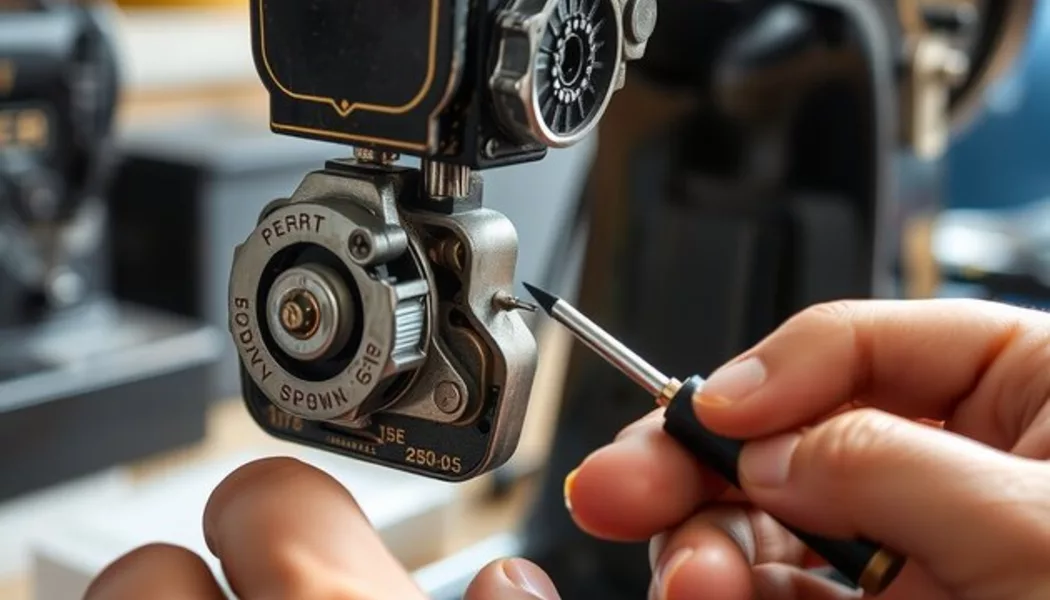
There are five common reasons a flash won’t fire or won’t sync properly on the ME Super. Work through them in order: 1. Wrong shutter speed. The most frequent cause by a wide margin. The ME Super has a maximum flash sync speed of 1/125s (called the X-sync speed). Set a faster shutter speed — 1/250s, 1/500s, 1/1000s — and the shutter curtains won’t be fully open when the flash fires. The result is a dark band at one edge of the frame (or no exposure at all if the curtain blocks the sensor completely). This is not a malfunction; it’s how focal-plane shutters work. The fix is simply setting 1/125s or slower. 2. Flash not fully charged. Electronic flash units take 4–8 seconds to charge capacitors after firing. Fire again before the ready light illuminates and you’ll get nothing — or a partial pop at reduced power. Wait for the flash ready indicator (on both the flash unit and, on dedicated flashes, the confirmation light in the ME Super’s viewfinder). 3. Dirty or corroded hot shoe contacts. The ME Super’s hot shoe has five contact points: one center pin (the main trigger contact) and four peripheral contacts that handle TTL-specific communication with dedicated Pentax flashes. Oxidation or debris on these contacts breaks the trigger circuit. The fix is a 5-minute cleaning job with isopropyl alcohol. 4. Incompatible TTL mode or wrong flash mode. Using a modern flash in TTL mode with the ME Super won’t work — the ME Super uses an older Pentax-specific TTL protocol that isn’t compatible with modern TTL systems. Putting a current Canon or Nikon system flash on the ME Super hot shoe and expecting TTL is asking for trouble. Set the flash to manual mode or use a dedicated Pentax-compatible unit. 5. PC sync socket fault. The ME Super has a PC sync socket on the front of the camera body for older flash units that use a sync cord rather than hot shoe mounting. This socket wears out over decades. If you’re using the PC socket rather than the hot shoe, a failed sync contact is a real possibility.The 1/125s Sync Speed Rule Explained
Understanding why 1/125s is the limit — not a suggestion, an actual physical constraint — helps you avoid the problem every time. The ME Super uses a focal-plane shutter: two fabric or metal curtains that travel horizontally across the film plane. The first curtain opens to expose the film; the second follows to close the exposure. At slow shutter speeds (1/60s, 1/30s, 1/15s), the first curtain is already fully open before the second curtain starts moving — at any point in between, the entire film frame is open to the lens. A flash fired during this window exposes the whole frame. At faster shutter speeds, the curtains travel so quickly that the second curtain starts chasing the first curtain before the first has finished crossing. The result is a narrow slit of opening that travels across the film — at no point is the entire frame simultaneously exposed. A flash fired here exposes only the portion of the film visible through that slit at the moment of firing. The X-sync speed (1/125s on the ME Super) is the fastest speed at which the first curtain is fully open before the second begins to move. Flash fired at 1/125s exposes the entire frame. What the dark band means: If you see a dark band at one edge of your flash photo, you shot at a speed faster than 1/125s. The band is the shadow of the second curtain that had already started moving when the flash fired. This isn’t a shutter problem — it’s a user error with a simple fix. The ME Super’s LED indicator: When you set the camera to manual mode and dial to 1/125s, the LED display in the viewfinder shows “125” with an X indicator alongside it. That X is your confirmation that you’re at sync speed. Some photographers keep a piece of tape on their camera body with “1/125s MAX FLASH” written on it — sounds excessive until you’ve wasted three rolls of flash shots with a dark band.How to Set 1/125s on the Pentax ME Super
The ME Super’s aperture-priority Auto mode automatically sets the shutter speed based on the light meter reading. It does not automatically limit shutter speed to 1/125s in the presence of a flash. This catches people off guard. If the camera meters at 1/500s and you fire the flash in Auto mode, you’ll get a dark band. Auto mode doesn’t know you’re using flash. Setting manual shutter speed on the ME Super: The ME Super has a simplified manual mode that differs from most SLRs. Here’s exactly how to access manual speeds: Step 1 — Press and hold the MODE button on the top deck (right side, next to the shutter speed LEDs). Step 2 — While holding MODE, press the UP arrow button to scroll through shutter speeds in the viewfinder LED display. The LEDs cycle through: 4, 2, 1, 2, 4, 8, 15, 30, 60, 125, 250, 500, 1000, 2000 (displayed as fractions of a second — “125” = 1/125s). Step 3 — Stop at 125. Release MODE. Step 4 — Confirm the X indicator. At 1/125s, you’ll see an X symbol next to the shutter speed in the viewfinder. If you don’t see X, you may have overshot to 1/250s — go back one step. Step 5 — Set aperture on the lens. Since you’ve taken over shutter speed, you’re now controlling aperture for exposure. Use the camera’s built-in meter: the viewfinder LEDs will show overexposure (+) or underexposure (−) at your chosen aperture. For flash photography, exposure from the flash dominates anyway — set aperture based on the flash guide number calculation or use the auto setting on a dedicated flash unit. Important: When you’re done with flash photography and return to available-light shooting, the camera stays in manual mode. Press MODE + DOWN to return to Auto, or simply hold MODE and scroll back to “A” (Auto) in the display.Cleaning the Hot Shoe Contacts
Corrosion is slow and invisible until the trigger circuit goes intermittent — which presents as “flash sometimes fires, sometimes doesn’t.” If you’ve ruled out the sync speed issue and the flash still doesn’t fire reliably, clean the hot shoe contacts. What you need:- Isopropyl alcohol, 90% concentration or higher (90%+ dries faster and leaves less residue than 70%)
- Cotton swabs (Q-tips)
- Toothpick
- Magnifying glass optional but helpful
Compatible Flashes: What Works with the ME Super
Not every flash that fits the hot shoe is safe to use, and not every flash that’s safe will give you TTL metering. Here’s the breakdown: Dedicated Pentax flashes (fully compatible, TTL metering):| Flash | Guide Number | Notes |
|---|---|---|
| Pentax AF200SA | GN 20 (m, ISO 100) | Compact, fully dedicated, great for street |
| Pentax AF280T | GN 28 (m, ISO 100) | More power, bounce head, classic choice |
| Pentax AF360FGZ | GN 36 (m, ISO 100) | Modern option, works in TTL mode with ME Super |
- Vivitar 285HV — The workhorse of manual flash. Guide number 36 (m, ISO 100). Trigger voltage is safe at ~6V. Set to manual or auto-thyristor mode. Inexpensive used.
- Metz 45 CL-4 — Powerful (GN 45) and reliable. Can be used in manual mode on the ME Super without the Metz SCA adapter.
- Sunpak 383 Super — GN 38. Reliable trigger voltage, compact, available cheaply used.
- Godox TT350P — Designed with a Pentax-compatible hot shoe variant. Works in manual mode on the ME Super. TTL won’t function, but manual TTL control from the flash unit itself works fine.
- Godox V1P / V860IIP — Same situation: Pentax mount version, manual mode operation.
Testing and Fixing the PC Sync Socket
The PC sync socket on the front of the ME Super body provides an alternative way to trigger a flash via sync cord — useful for studio strobes or older flash units without hot shoes. Testing the PC socket: Step 1 — Set a multimeter to continuity mode (the diode/beep setting). Step 2 — Connect one probe to the center conductor of the PC socket (use a PC male connector plug to access it cleanly, or carefully insert a thin probe). Step 3 — Connect the other probe to the camera body (any bare metal part of the camera body, such as the lens mount ring, is ground). Step 4 — Set the camera to 1/60s in manual mode. Step 5 — Press the shutter. The multimeter should beep (continuity) at the moment of shutter release — this indicates the X-sync contact inside the camera is closing the circuit. No beep = no continuity = the sync contact inside is not closing. What to do if there’s no continuity: The most common cause is a worn or dirty sync contact blade inside the camera body. Over decades of use, the contact blade that closes the PC socket circuit can accumulate oxidation or physically bend slightly out of position. This is a precision mechanical repair inside the shutter mechanism — not a DIY fix without camera repair experience. Cost to repair at a camera technician: $30–50 in most markets, and often can be bundled with a full CLA (clean, lube, adjust) service for $60–90 total. Given that a working ME Super is worth $80–150 in clean condition, a CLA makes economic sense if the camera is otherwise healthy. Can you clean the PC socket yourself? Yes, partially. The exterior of the socket can be cleaned with IPA on a cotton swab. The contact inside the socket (where the sync cord’s tip touches) can be cleaned by inserting a small IPA-dampened Q-tip. But if the internal sync contact blade is the problem, external cleaning won’t reach it.Aperture-Priority Flash Metering on the ME Super
When you use a Pentax dedicated flash (AF200SA, AF280T, or compatible) in Auto mode on the ME Super, the system provides TTL-style metering that works as follows:- The camera’s light meter reads ambient light through the lens (TTL = Through The Lens).
- The flash auto-thyristor or dedicated TTL circuit monitors flash output during the exposure.
- Flash output is cut off when the sensor determines correct exposure has been achieved.
When to Send It for Repair
Most ME Super flash issues are self-serviceably. These are the exceptions — situations that require professional camera repair: Shutter fires but no sync signal at any speed. If the PC socket continuity test shows zero response at any shutter speed including 1/60s and 1/30s — and the hot shoe doesn’t trigger even a known-working flash — the internal X-sync contact has failed. The blade contact inside the shutter box is worn, bent, or has lost spring tension. This is inside the shutter assembly and requires camera repair expertise and proper tools. Vertical dark band in flash photos. A horizontal dark band = you shot above sync speed (user error). A vertical dark band that doesn’t move when you change shutter speed = a shutter curtain is damaged, moving at the wrong speed, or the curtain tension is mismatched. This is a curtain timing problem that requires a full CLA and shutter adjustment. Flash sync worked, then stopped after a voltage incident. If you mounted a flash with unknown trigger voltage and the sync suddenly stopped working, the PCB sync circuit is likely damaged. This is a board-level repair — either a burned sync transistor or a blown protection diode. Fixable by a technician comfortable with SMD work, but it’s a specialist repair. Intermittent firing that cleaning doesn’t fix. If hot shoe cleaning helps for a few rolls and then the problem returns, the contact spring inside the hot shoe is worn and no longer making consistent contact. Some camera techs can adjust or replace the hot shoe contacts; in other cases, the hot shoe assembly needs replacement. For more DIY film camera repair, our guide on removing fungus from camera lenses covers another common vintage camera issue with a satisfying DIY solution. And for a broader framework for restoring vintage equipment, the vintage equipment restoration guide applies the same systematic approach across categories.Frequently Asked Questions
What is the maximum flash sync speed for the Pentax ME Super?
The Pentax ME Super has a maximum flash sync speed of 1/125s, sometimes written as X=1/125. This is the fastest shutter speed at which the entire film frame is simultaneously exposed, allowing the flash to illuminate the whole frame. Using any shutter speed faster than 1/125s with flash will result in a partial dark band across the image — the shadow of the second shutter curtain that began closing before the flash fired.
Will a modern Godox flash work on the Pentax ME Super?
Yes, if you use the Pentax-mount version (e.g., Godox TT350P, V1P, V860IIP) and set it to manual flash mode. TTL mode will not function correctly because the ME Super uses an older Pentax-specific TTL protocol incompatible with modern TTL systems. In manual mode, set the power level on the flash and calculate exposure using the guide number formula. Check trigger voltage before use — Godox flashes designed for modern cameras have safe trigger voltages well under 6V.
What trigger voltage is safe for the Pentax ME Super?
The Pentax ME Super’s sync circuit is rated for a maximum trigger voltage of approximately 6 volts. Many vintage flashes from the 1970s and 1980s have trigger voltages of 100–400V, which will damage or destroy the camera’s sync circuit. Before mounting any unfamiliar flash, measure the trigger voltage with a multimeter across the flash’s hot shoe contacts while the flash is charged. If over 6V, use a Wein Safe-Sync or similar trigger voltage limiter — or don’t use that flash on this camera.
Why do my Pentax ME Super flash photos have a dark stripe at the bottom?
A dark horizontal stripe (band) at the bottom of flash photos is caused by shooting above the 1/125s sync speed. The stripe is the shadow of the second shutter curtain, which began closing before the flash had a chance to illuminate the full frame. Set the camera to manual mode at 1/125s (hold MODE, press UP arrow until “125” shows in the viewfinder, confirm the X indicator appears). A vertical stripe, by contrast, indicates a shutter curtain timing issue unrelated to flash sync speed.